
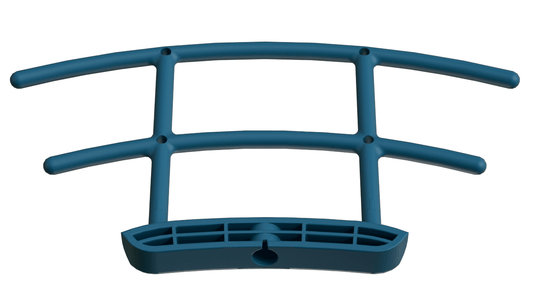


Install the Antenna:Important: Ensure the antenna is securely installed before connecting the camera.
Download the App: Download and sign up for the Vico Nature APP on your smartphone.
Enable Bluetooth: Turn on the Bluetooth function in your phone's settings.
1.First,Turn on the BT function of the phone. Press and hold the power button for 3–5
seconds to turn on the camera.
The front indicator will flash blue and you will hear a prompt sound,then it’s ringing the
sound of ding dong ding dong, Please tap “+ Add Device”. If not,double-press the power
button to enter the waiting-for-binding status, then tap “+ Add Device”.
2.BT will find the device nearby.
Tap it to continue.
3.Select your Wi-Fi network and enter the
correct password, then tap “Next.”
(Please ensure the password you entered is
correct, as an incorrect password will result in failure in the next step. This step does not
verify the correctness of the Wi-Fi password.)
4.Confirm the Wi-Fi name and password
5.You will hear “Connection succeeded”.
6.You can customize the device name,and tap “Next”.
7.Congratulations! Your device has been added successfully .
Possible Problems with Connecting
When you hear "Wi-Fi Password Error",please check whether theWi-Fi password you entered in the app is correct.
When you hear "Authentication error" please ensure that your Wi-Fi network is not anenterprise level Network. The device supports only networks withsecurity belowWPA-2.
When you hear"Wi-Fi not found",please check that you selectedthe correct Wi-Fi name.
Place the device near that the router is powered on. Please note that 5Ghz Wi-Fi cannot be located by the device.
When you hear "Retrieving IP time out", it indicates that the number of devices connected to the router has reached the maximum.
Please remove some of the conneccted devices that are not commonly used or restart the router to clear the unconnected devicees. You may even need to contact the router administrator.
If you hear"Cloud service connection fail", it could be caused by network dnnection
Please ensure that the network connection is normal and try to temporarily turn off the firewall.